Changelog
Dark mode
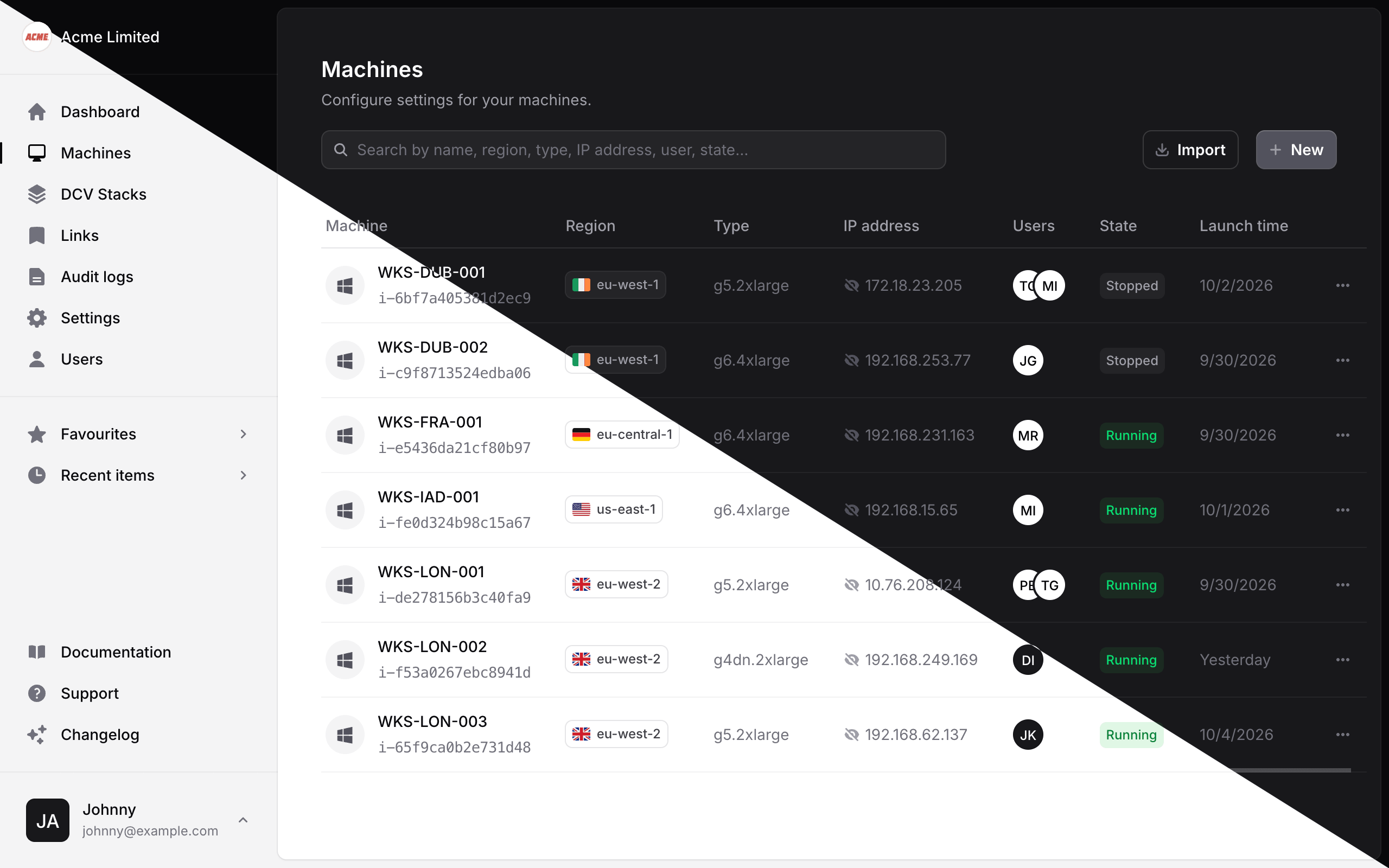
Managed Studio now comes in dark. Whether you're working late or simply prefer a darker interface, the whole app now looks great in both light and dark.
Choosing your appearance
Visit the Appearance page in your profile and choose Light, Dark or System. System is the default, and automatically follows your device's setting.
Fixes
- Fixed a bug where viewing a g7e machine showed an error page. g7e machines now show GPU utilisation metrics too.
Verified domains and SSO sign in
This release makes single sign-on simpler for your team. Verify the email domains you own, choose whether SSO is optional or required for each one, and let Managed Studio send your users to the right place when they sign in.
Domain verification
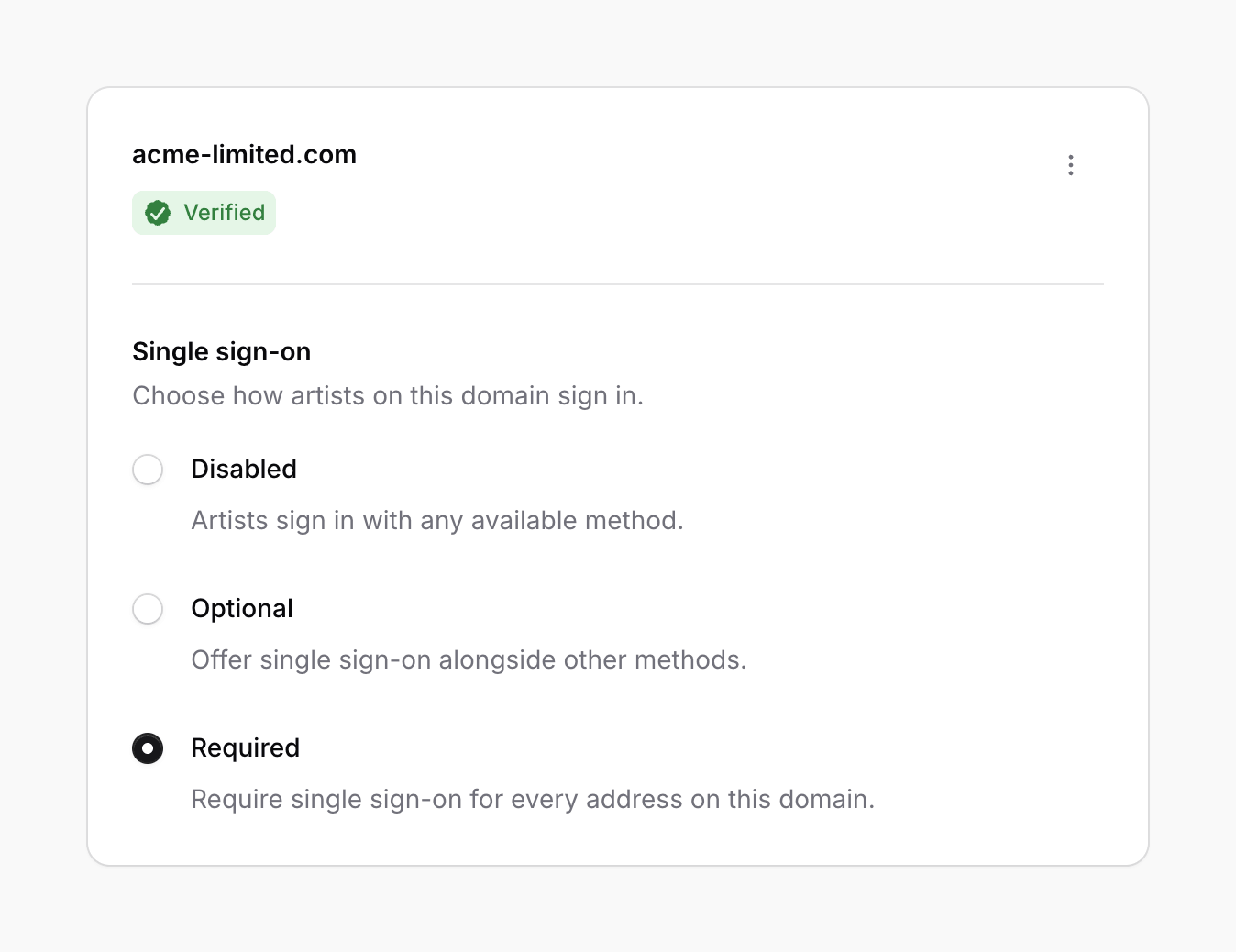
Add your domain on the Email domains page in Settings and verify it with a DNS TXT record. You can then make single sign-on disabled, optional or required for everyone on that domain. Learn more about email domains.
Single sign-on from the sign in page
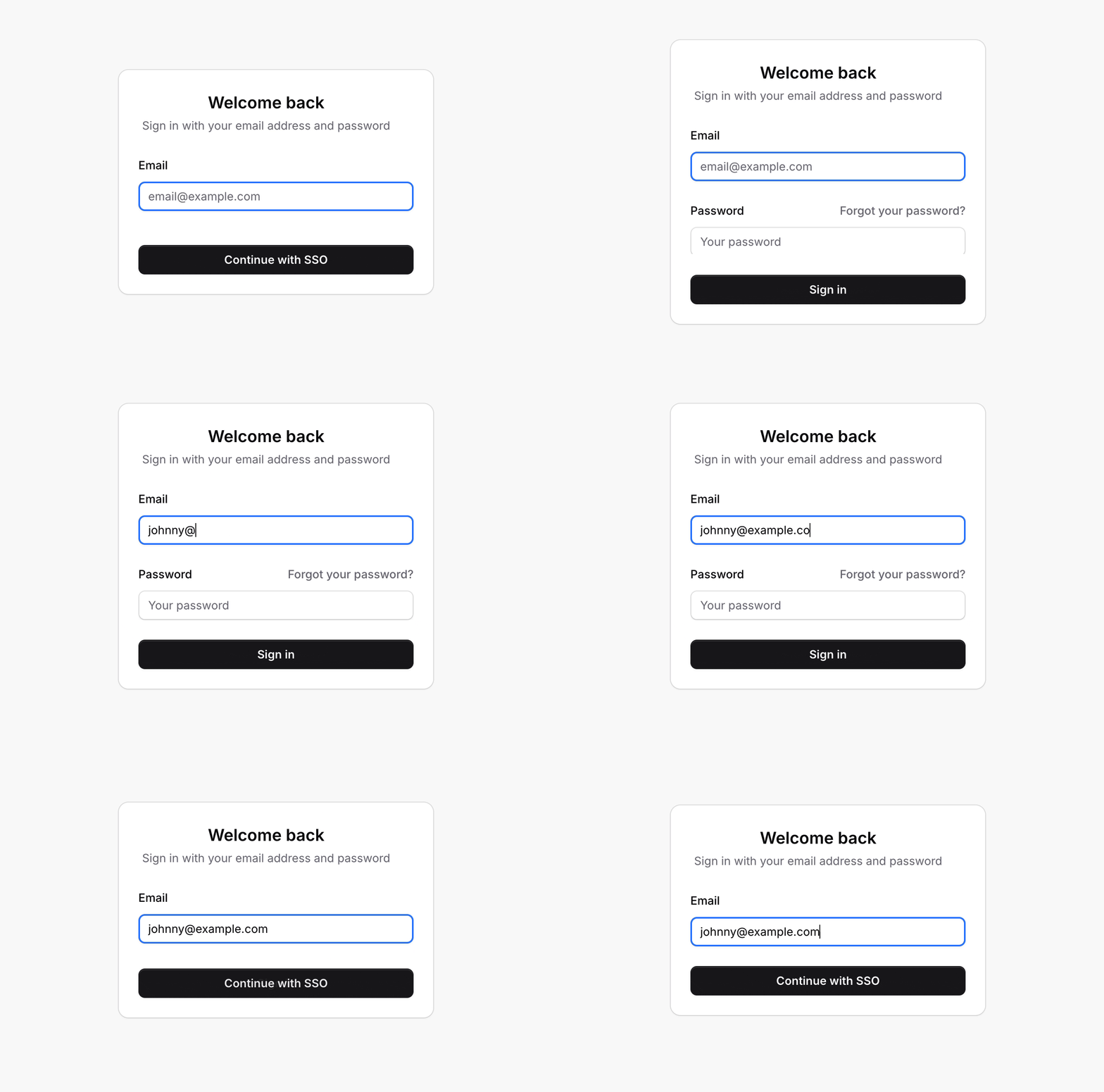
Users on a verified domain are now offered a Continue with SSO button as soon as they enter their email address on the sign in page. When SSO is required for their domain, the password field disappears and they're taken straight to your identity provider.
Other new features
- Quick actions in lists let you start, stop, reboot and connect to machines straight from the Machines list, and suspend or unsuspend users from the Users list.
- AWS g7e instances can now be selected when creating machines.
Improvements
- When an AWS capacity reservation is full, creating or starting a machine now shows a specific error message, and the attempt is recorded in the audit log.
Fixes
- Fixed a bug where a machine that failed to create due to insufficient capacity was recorded in the audit log as a failed start, without its name, size or region.
Estimated machine costs
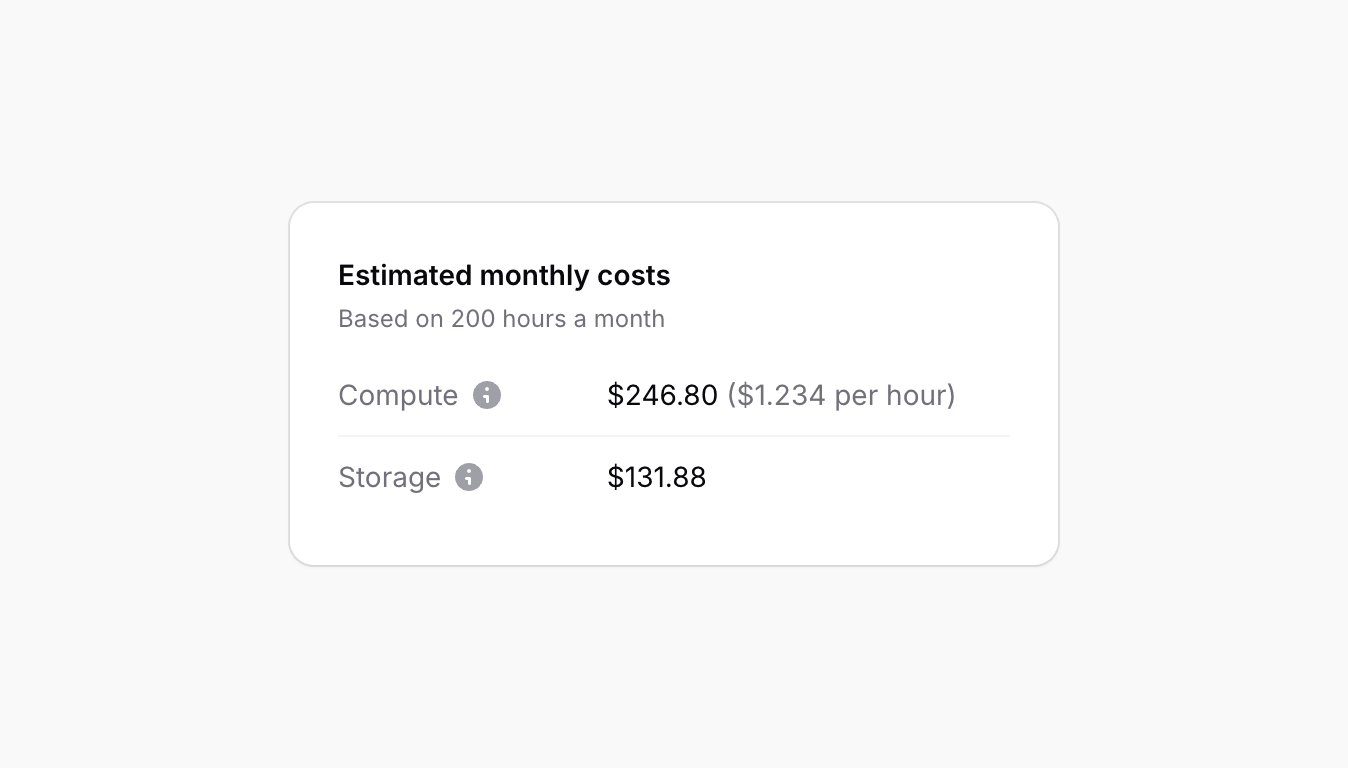
Understand what each machine costs to run at a glance. The machine overview page now includes an estimate of each machine's monthly AWS costs.
Compute and storage
The estimate is split into compute and storage. Compute uses the AWS on-demand list price for the machine's instance type, platform and region, based on 200 hours of use a month. Storage covers every EBS volume attached to the machine for a full month, including provisioned IOPS and throughput, as AWS charges for storage whether the machine is running or not.
Hover over the information icon next to each cost to see how it was calculated, including a breakdown of every attached volume. Estimates use list prices, so they don't include any savings plans or discounts on your AWS account.
Security and reliability
Alongside this release we've completed a thorough review of Managed Studio, tightening up security and fixing dozens of bugs where unexpected input would show an error page instead of a helpful message.
Improvements
- The audit log now loads noticeably faster.
- Suspending or unsuspending a user who is already in that state no longer records a duplicate audit log entry.
Fixes
- Fixed a bug where the name entered when activating an account was discarded.
- Fixed a bug where suspended users could still activate their account.
- Fixed a bug where syncing AWS instances failed when a machine had moved to a different region.
- Fixed a bug where the incorrect AWS permissions banner stayed visible after saving working credentials.
SAML single sign-on
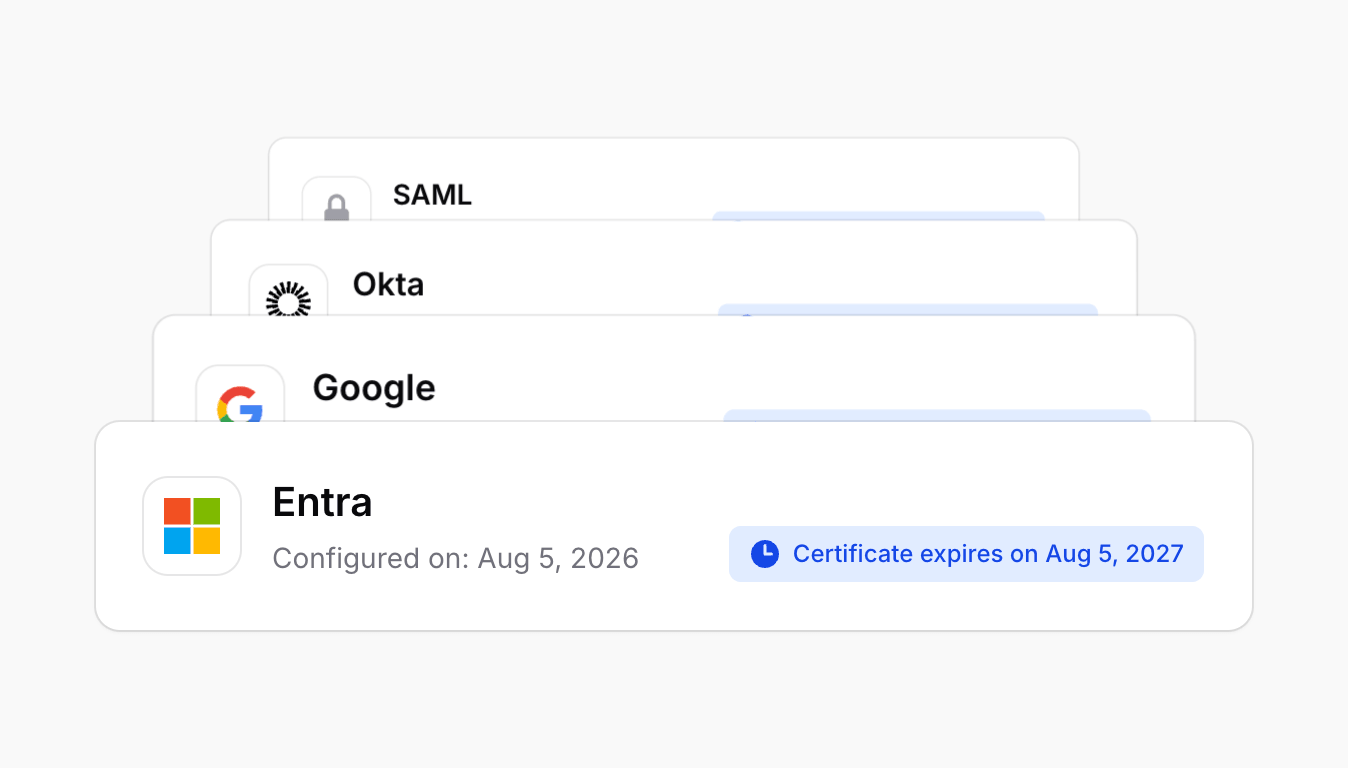
Single sign-on now supports SAML 2.0, so your team can sign in to Managed Studio with the identity provider you already use, whether that's Okta, Google Workspace, Microsoft Entra or any other SAML compatible provider.
Setting up SAML
Visit the Single sign-on page in Settings and add a new provider. Copy the Service Provider details into your identity provider, then enter its Single Sign-On URL, entity ID and certificate. Once saved, your users can sign in with SAML straight away.
For a step by step guide, see the SAML single sign-on documentation.
Other new features
- Documentation is now just a click away, with a new link in the sidebar.
Reboot machines
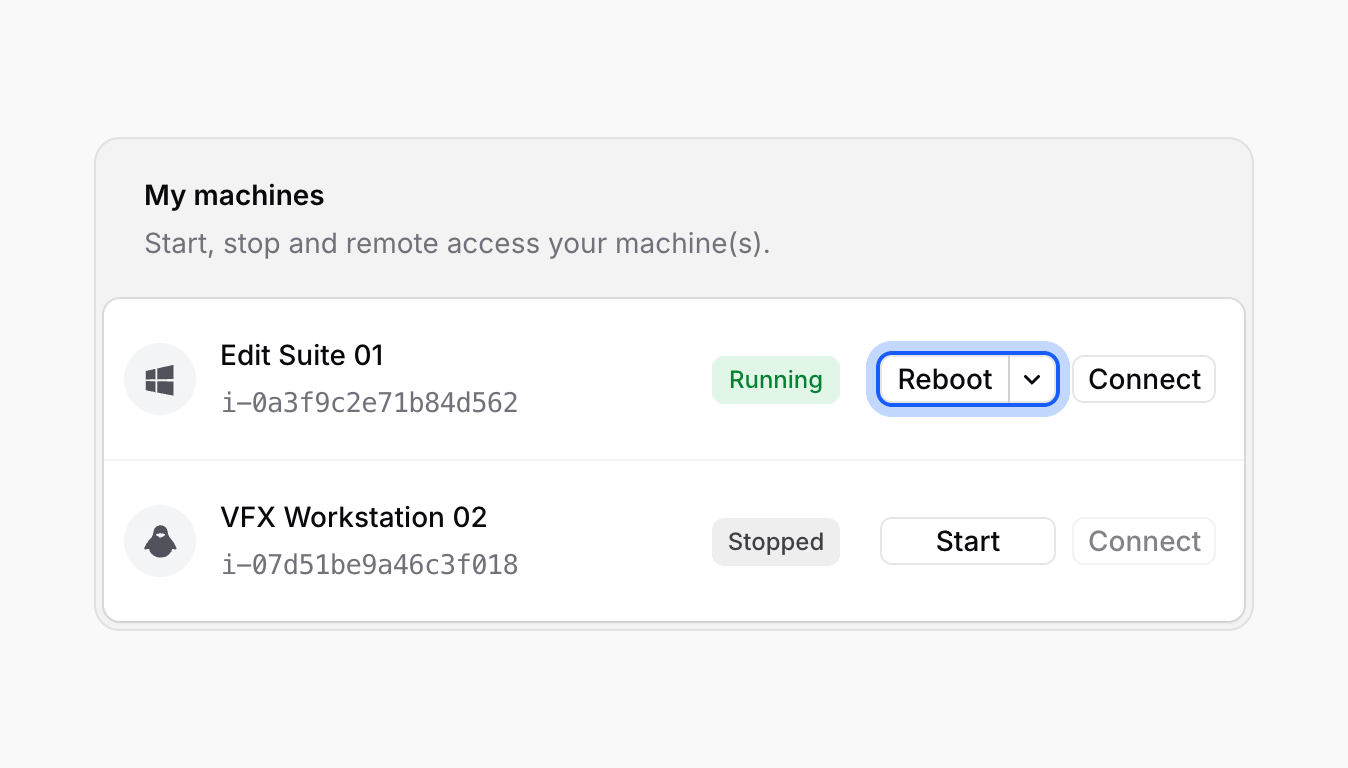
Sometimes a machine just needs a restart. You can now reboot machines directly from Managed Studio, without needing to connect to them or open the AWS console.
Rebooting a machine
Click Reboot next to any running machine on your dashboard. Stop is still available from the arrow beside it. You can also reboot from the context menu on a machine's overview page.
Improvements
- Clearer messaging when AWS has insufficient capacity to start a machine.
- A helpful error message is now shown when connecting to a machine with a custom remote connection that has no URI.
Fixes
- Fixed a bug where custom remote connection URIs were not saved when creating a new machine.
Scheduled machine startup
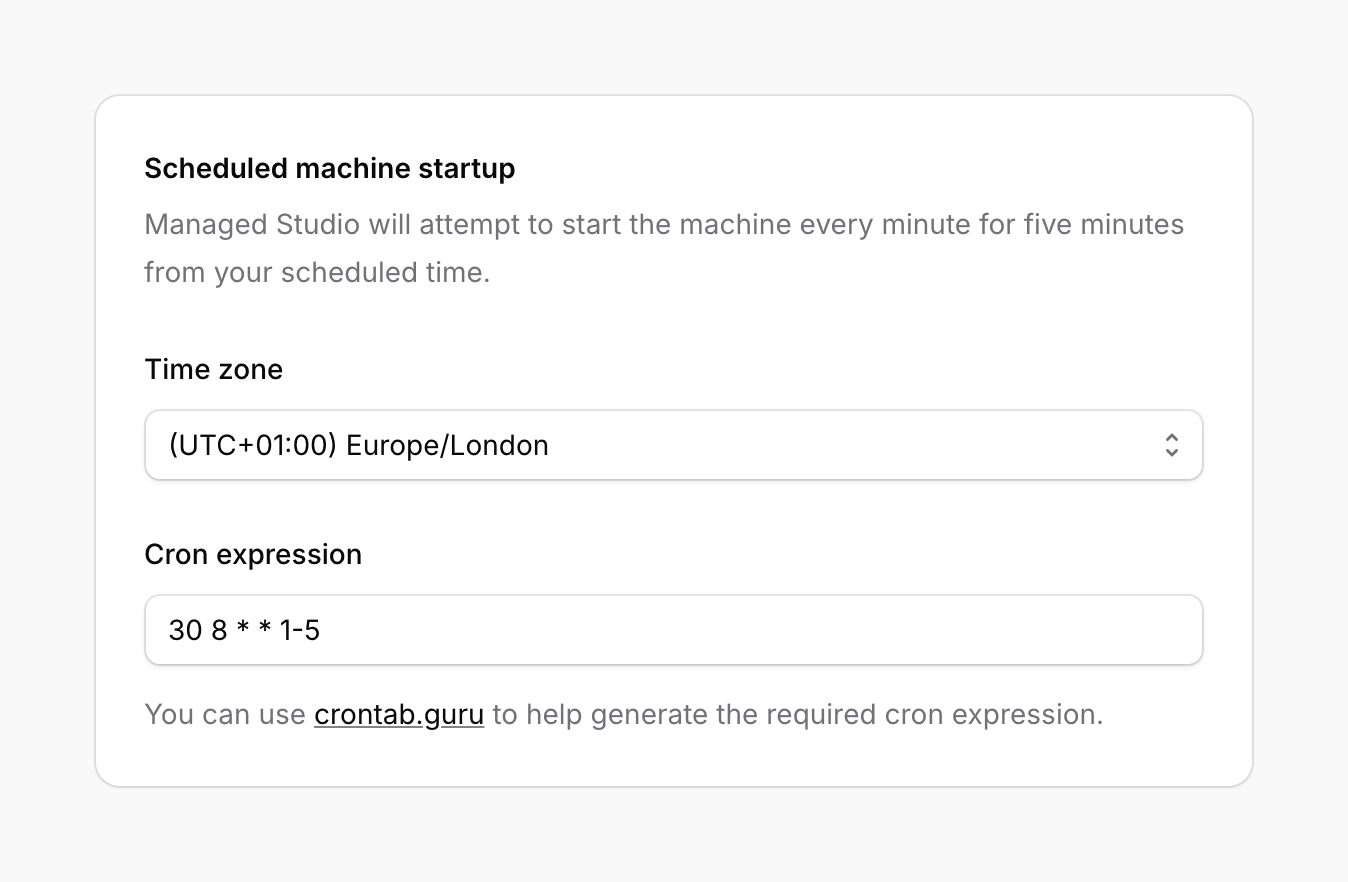
Have your machines ready and waiting before the working day begins. You can now schedule machines to start automatically, so your team never has to wait for a machine to boot.
Scheduling a start time
Open a machine's edit page and find the Scheduled machine startup section. Choose a time zone and enter a cron expression describing when the machine should start. Managed Studio will attempt to start the machine every minute for five minutes from your scheduled time.
Scheduled machine startup is currently in beta. We'd love to hear your feedback.
Improvements
- The machine overview page now shows the Availability Zone and Availability Zone ID for each machine.
- A clearer error message is shown when a DCV server is full and cannot accept another session.
- Attempts to start a machine that fail because AWS has insufficient capacity are now recorded in the audit log.
Enhanced Monitoring and Performance Insights
This release focuses on giving you better visibility into latency and machine performance, helping you assess region suitability for remote sessions and surface deeper insights into machine utilisation.
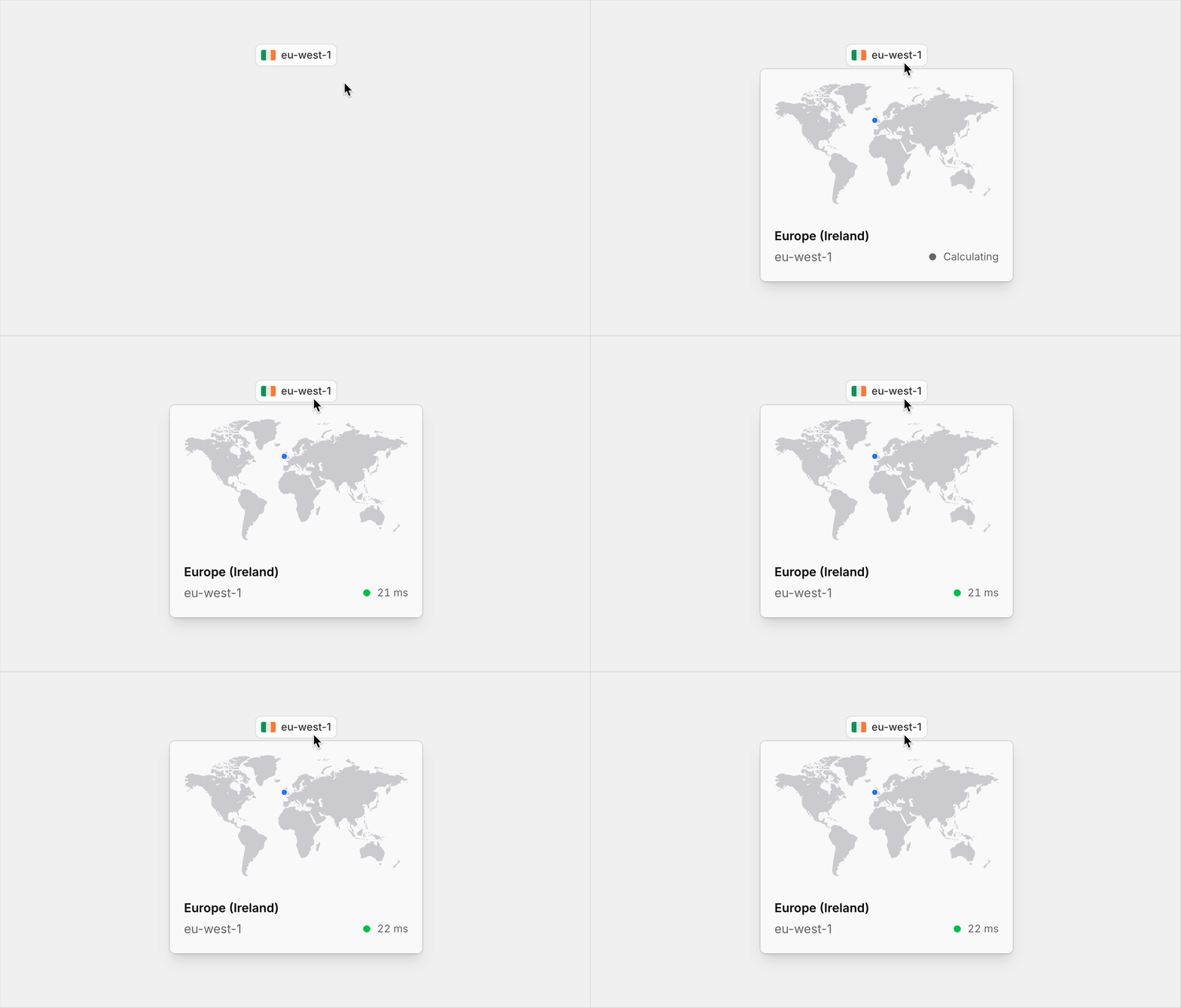
Region latency test
Quickly gauge your connection quality to each deployed AWS region. Hover over any region badge in the application to view an estimated latency.
Advanced machine metrics
You can now opt in to Advanced Metrics for your machines, unlocking real-time insights into RAM and GPU usage alongside standard CPU, Network, and Disk utilisation.
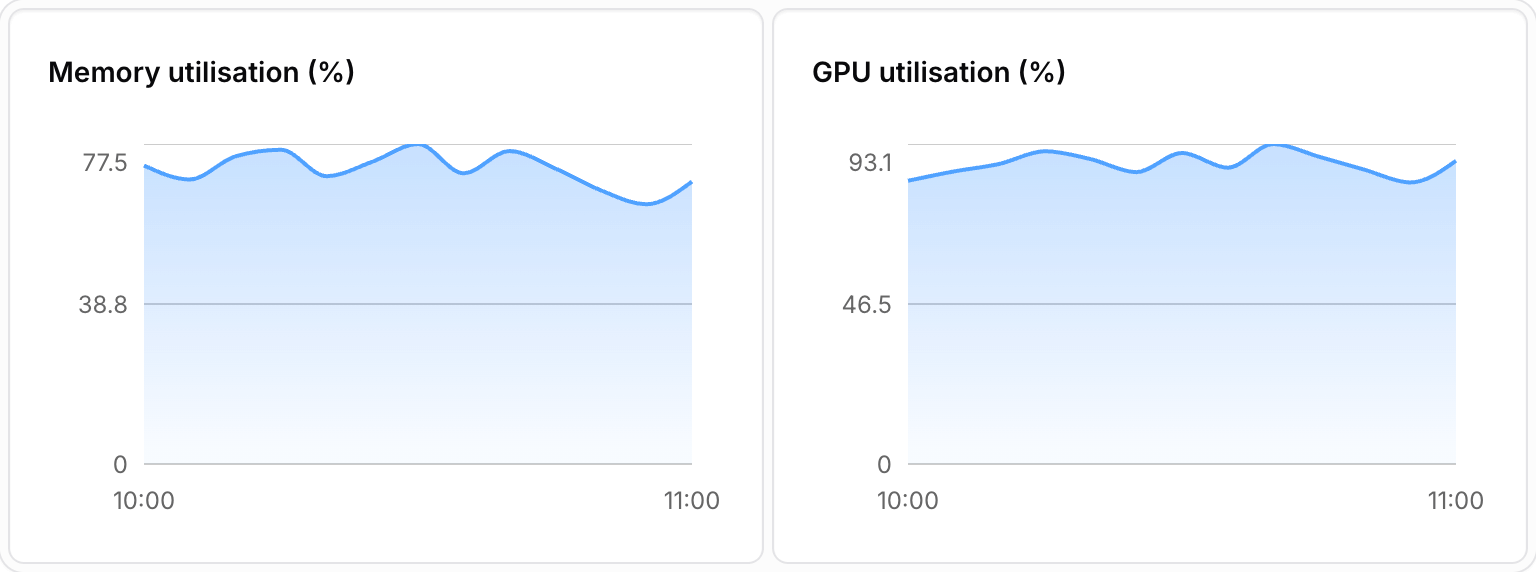
To enable Advanced Metrics, open the context menu on a machine’s overview page and select Enable Advanced Metrics.
Improvements
- Amazon DCV and HP Anyware client downloads are now available directly from the dashboard.
- Machine metrics now support a 4-week historical view for longer-term performance analysis.
AWS Instance Management in Managed Studio
We’re thrilled to introduce a new feature that allows you to manage AWS instances directly within Managed Studio — making it faster and more efficient to create and terminate instances from one place.
Creating new machines
You can now create new machines right from within Managed Studio. Select your region, machine template, desired size, and let Managed Studio take care of the rest. Create multiple machines at once and assign them to users, streamlining your workflow.
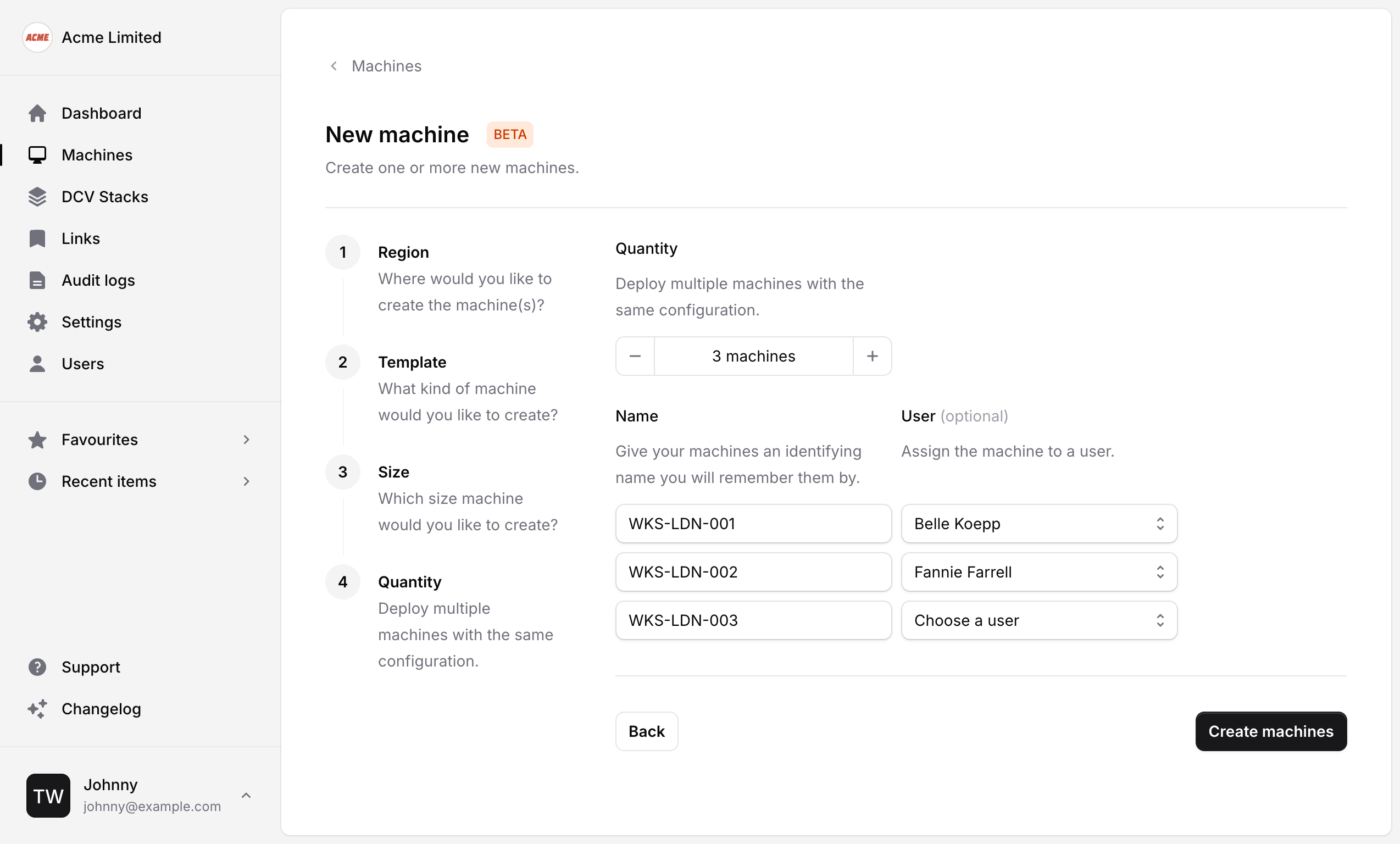
Terminating machines
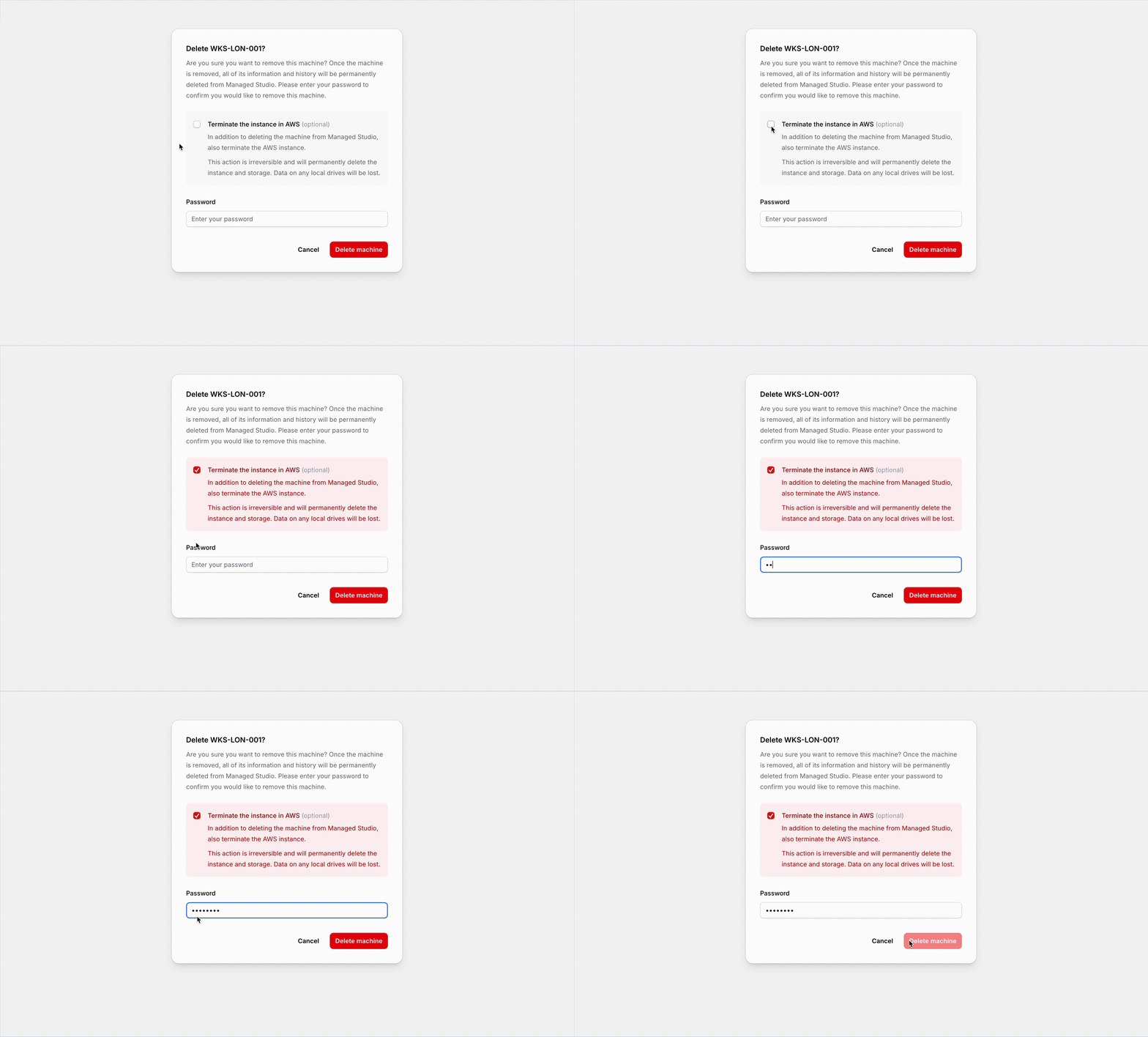
When deleting machines from Managed Studio, you can now optionally terminate the instance in AWS too. Simply check the Terminate the instance in AWS checkbox before confirming with your password.
Improvements
- Updated notification emails to match the new user interface.
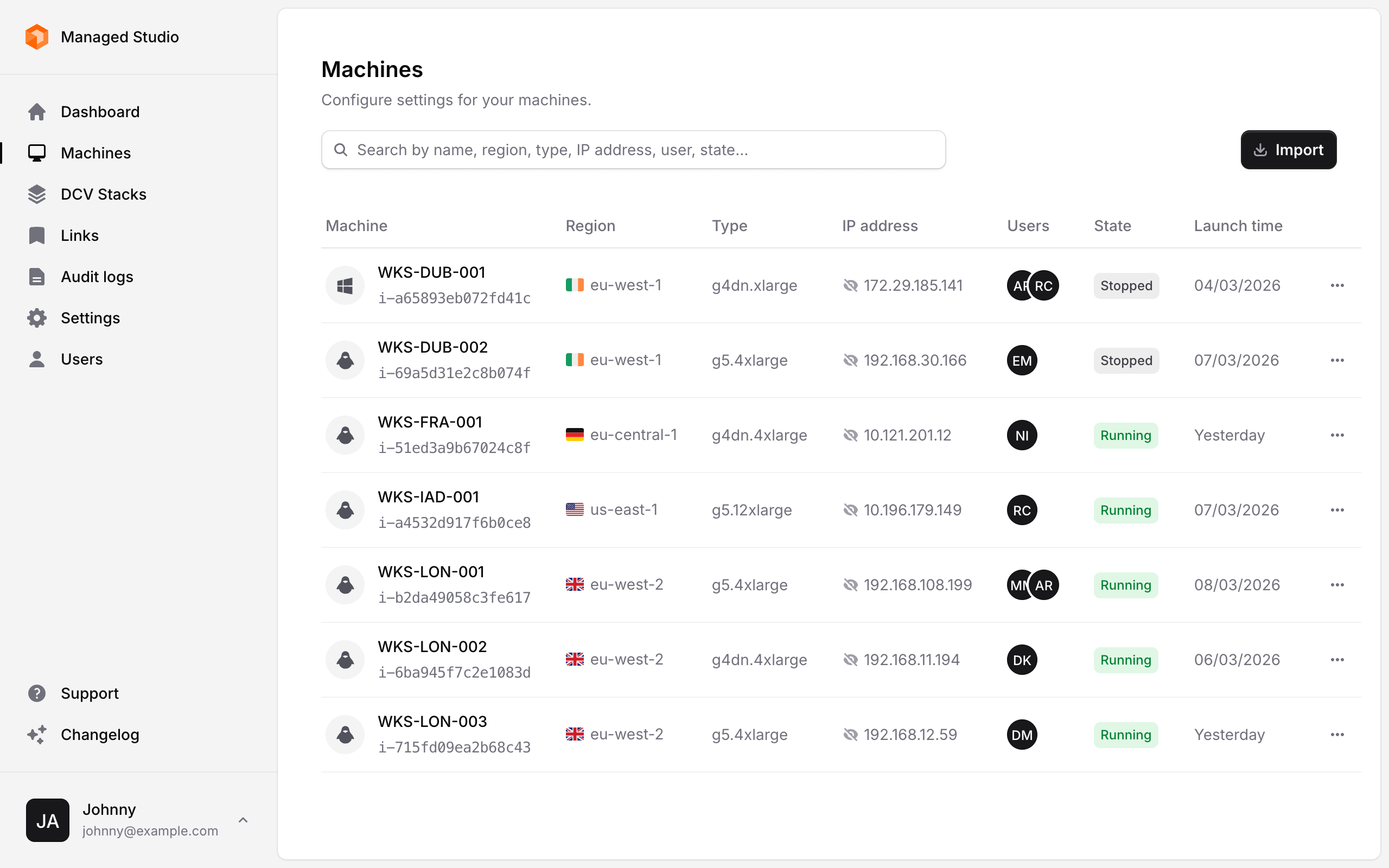
- Improved data density in the Machines list.
Fixes
- Fixed a bug where the Import instances button in the Machines empty state didn't work.
Studio avatars
Studio avatars are here! You can now upload a custom avatar to represent your Studio across the platform.
To set your Studio avatar, visit the General Settings page and upload any JPG, PNG or WEBP under 3 MB.
Other new features
- Expanded keyboard shortcuts – Navigate the sidebar more efficiently with new keyboard shortcuts. Use Ctrl + 1 for the Dashboard through to Ctrl + 7 for Users.
Fixes
- Machines without a name, now show the Instance ID in Favourites and Recent items rather than a blank link.
Favourites and Recent items
We’ve made it easier to access the things you use most with our new Favourites and Recent items features.
Favourites
Your favourite items are now conveniently located in the sidebar. Add as many as you like by clicking the Star button on the item overview page. To remove an item, simply click the Star button again. You can also use the keyboard shortcut Ctrl + D for quick access.
Recent items
Easily jump back to what you were working on — your 10 most recently viewed items will now appear in the sidebar for quick navigation.
Version 2.0 is here!
We’re thrilled to introduce Managed Studio 2.0, a major update designed to make your experience faster, more intuitive, and more powerful than ever. With a brand-new user interface, keyboard shortcuts for streamlined navigation, and Enterprise Single Sign-on now available on all plans, there’s a lot to explore.
New user interface
Rebuilt from the ground up, our new UI delivers a more intuitive and seamless experience across both desktop and mobile.
Faster navigation with keyboard shortcuts
Boost your productivity with new shortcuts for quick navigation and actions:
- / Focus on the first search input on the page
- N Open the form to create a new entity
- I Launch the AWS instance import wizard
- E Edit the entity you are viewing
- Ctrl + Backspace Delete the current entity
- Ctrl + S Save the item you are editing
Enterprise Single Sign-on for all
Single Sign-on (SSO) is now available on all plans, allowing you to securely authenticate users with Microsoft Entra. Get started today by visiting the Single sign-on page in Settings.
Other new features
- In-app support – Get help directly within the app, replacing the need for email-based support.
- Changelog – Stay updated with new features, improvements, and bug fixes directly within the app.
Improvements
- Enhanced Two-Factor authentication – A more intuitive process for enabling and managing 2FA.
- Extended Audit logging – Audit logs now retain data for 30 days instead of 14, giving you more visibility into activity history.
Fixes
- Fixed double notifications – No more duplicate notifications appearing unnecessarily.
We hope you enjoy these updates! Have feedback? We’d love to hear from you.